SMS Compliance Details
This document details the two completely separate and distinct SMS use cases and their independent consent workflows for our brand, Aeroenvio. We do NOT use single opt-in for multiple use cases - each use case requires its own independent consent action.
Use Case 1: Account Security (OTP)
This workflow is for sending one-time passwords for phone verification and is entirely separate from order notifications.
Message Type: One-Time Passwords (OTPs).
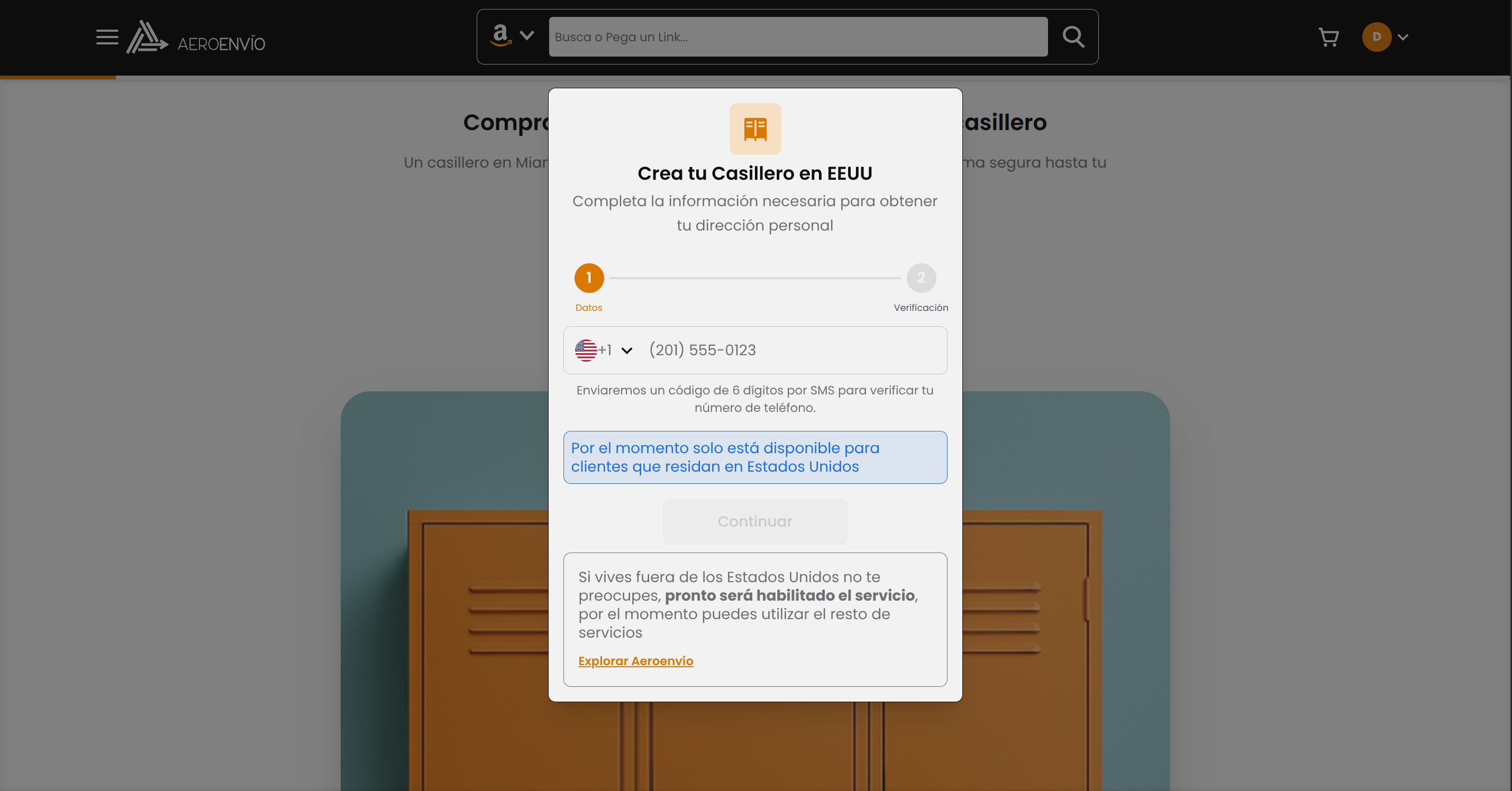
Consent Method: Implicit, User-Initiated. Consent is granted when the user takes a direct action on our secure verification page. The user enters their phone number and clicks a button labeled "Continue" to proceed with phone verification. This action implicitly grants consent for the single OTP message required for verification. This consent is valid only for the single OTP message requested at that moment.
Process Details:
- User navigates to locker creation page
- User enters their phone number in the verification form
- User clicks "Continue" button to proceed with verification
- System displays: "Continuing will send an SMS verification code to your phone"
- User's click of "Continue" implicitly grants consent for OTP message
- OTP message is sent immediately to the provided phone number
Visual Proof:
Sample Message:
"Aeroenvio: Your verification code is 123-456. This code will expire in 5 minutes."
Use Case 2: Order & Delivery Notifications
This workflow is for sending transactional notifications about a user's order status with granular control over notification types.
Message Type: Transactional Order & Delivery Status Updates.
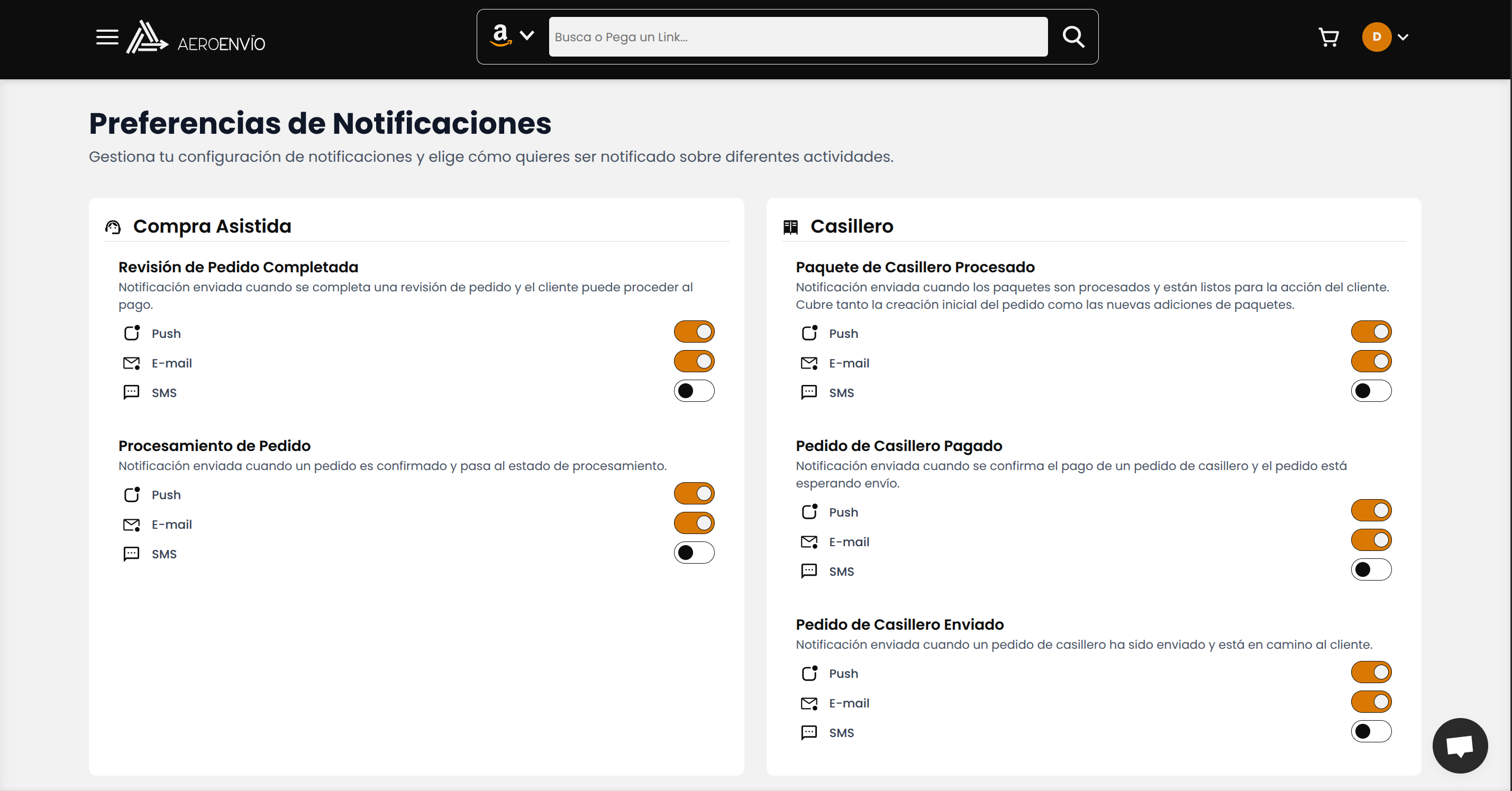
Consent Method: Explicit Opt-In with Granular Control. Consent is collected on our Notification Preferences page, available to authenticated users. Users can enable/disable SMS notifications for each specific notification type individually (order updates, delivery notifications, payment reminders, etc.). Each notification type requires its own separate consent action.
Granular Control Process:
- User navigates to Notification Preferences page
- User sees separate toggles for each notification type (Order Updates, Delivery Notifications, Payment Reminders, etc.)
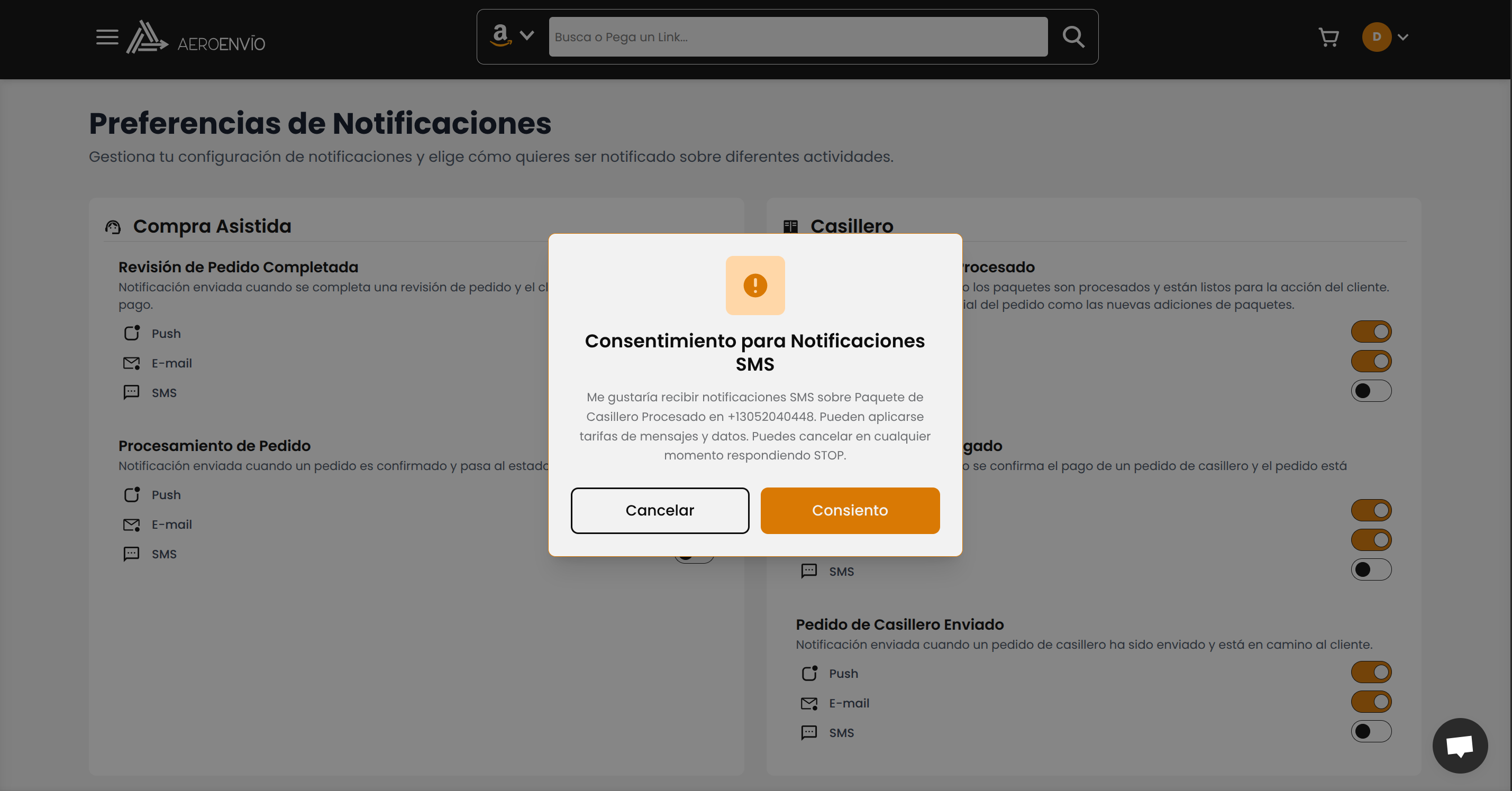
- When user enables SMS for a specific notification type, a consent dialog appears
- Dialog shows: "I would like to receive SMS notifications about [specific notification type] at [phone number]"
- User must explicitly click "I Consent" to enable that specific notification type
- Each notification type is managed independently
Consent Language (Dynamic):
Visual Proof:
Sample Message:
"Aeroenvio: Good news! Your order #AEN12345 has shipped and is on its way. Track your delivery here: [Link]. Reply STOP to opt-out."
Important: Consent for Order & Delivery Notifications has no bearing on and does not grant permission for Account Security (OTP) messages, and vice versa. Each use case requires its own independent consent action.
Opt-Out Workflow
We provide users with clear methods for opting out of SMS communications, with separate handling for each use case:
1. Keyword Reply (Universal):
Users can opt-out of all SMS communications at any time by replying STOP, UNSUBSCRIBE, or CANCEL to any message they receive from us. This action is processed automatically and immediately adds the user's phone number to our global unsubscribe list.
2. Notification Preferences Portal (Order & Delivery Notifications Only):
Authenticated users can log in to their account dashboard and access the 'Notification Preferences' page at any time to manage their SMS notification settings for order and delivery notifications. They can disable SMS notifications for specific types of communications or disable all SMS communications entirely. Changes are saved instantly and take effect immediately.
3. OTP Messages (Account Security):
OTP messages are transactional and user-initiated. Users cannot opt-out of these messages as they are required for account security. However, users can avoid receiving them by not requesting phone verification.
Contact Information
For any questions regarding this information, please contact our compliance team at contact@aeroenvio.com.